The trim() method of the String class removes ............... .
(a)leading spaces only
(b)trailing spaces only
(c)spaces in between words
(d)leading and trailing spaces
Show SolutionHide Solution↓
leading and trailing spaces
Reason — The trim() method of the String class removes the leading and trailing spaces from a string. It does not remove the spaces present in between the string.
21 Mark · Multiple Choice Questions
While using the toLowerCase() method on a string containing special characters, ............... .
(a)the special characters remain unaffected.
(b)the special characters are converted to spaces.
(c)the special characters are converted to null character.
(d)the special characters are removed from the string.
Show SolutionHide Solution↓
the special characters remain unaffected
Reason — The toLowerCase() method converts each character in a string to lowercase. However, if the string contains any special character, it remains unchanged.
31 Mark · Multiple Choice Questions
The index of a string ............... .
(a)ranges from 0 to the length -1 of the string
(b)ranges from 0 to the length of the string
(c)ranges from 1 to the length of the string
(d)ranges from 1 to the length -1 of the string
Show SolutionHide Solution↓
ranges from 0 to the length -1 of the string
Reason — The index of a string ranges from 0 to the length -1 of the string as a string is similar to a character array whose index starts from 0 to size - 1.
41 Mark · Multiple Choice Questions
The indexOf() method returns the position of the ............... .
(a)first occurrence of the specified character
(b)last occurrence of the specified character
(c)null character
(d)'\n' character
Show SolutionHide Solution↓
first occurrence of the specified character
Reason — The indexOf() method returns the index (position) of the first occurrence of the specified character in a string.
51 Mark · Multiple Choice Questions
The return type of the equals() method is ............... .
(a)int
(b)char
(c)boolean
(d)void
Show SolutionHide Solution↓
boolean
Reason — The equals() method compares two strings to check whether they are equal or not. The result is a boolean value true if they are equal, otherwise the result is false.
61 Mark · Multiple Choice Questions
Which one of the given statements is true for the following statement? string1.compareTo(string2)
(a)if string1 > string2 the result will be a negative integer i.e. < 0.
(b)if string1 > string2 the result will be a positive integer i.e. > 0.
(c)if string1 > string2 the result will be 0.
(d)None of the above
Show SolutionHide Solution↓
if string1 > string2 the result will be a positive integer i.e. > 0.
Reason — The compareTo() method compares two strings lexicographically, and returns a value based on the following logic:
if string1 > string2 the result will be a positive integer, i.e., result > 0
if string1 < string2 the result will be a negative integer, i.e., result < 0
if string1 = string2 the result will be 0, i.e., result = 0
71 Mark · Multiple Choice Questions
Which one of the given statements is true for the following statement? string1.compareTo(string2)
(a)if string1 > string2 the result will be a positive integer i.e. > 0.
(b)if string1 < string2 the result will be a negative integer i.e. < 0.
(c)if string1 = string2 the result will be 0 i.e. = 0.
(d)all of these
Show SolutionHide Solution↓
all of these
Reason — The compareTo() method compares two strings lexicographically, and returns a value based on the following logic:
if string1 > string2 the result will be a positive integer, i.e., result > 0
if string1 < string2 the result will be a negative integer, i.e., result < 0
if string1 = string2 the result will be 0, i.e., result = 0
81 Mark · Multiple Choice Questions
The valueOf() method returns the ............... .
(a)string representation of the argument
(b)int representation of the argument
(c)boolean representation of the argument
(d)character representation of the argument
Show SolutionHide Solution↓
string representation of the argument
Reason — The valueOf() method returns the string representation of the argument.
91 Mark · Multiple Choice Questions
Output of the following statement is ............... .
System.out.println("SUNDAY".substring(3));
(a)NDA
(b)DAY
(c)SUN
(d)N
Show SolutionHide Solution↓
DAY
Reason — The substring() method returns a substring of the given string, which begins with the character at the specified start index and extends to the end of the string.
Here, the start index is 3 so the substring starts from 'D' and continues till the end of the string. So, the substring returned is "DAY".
101 Mark · Multiple Choice Questions
Output of the following statement is ............... .
System.out.println("WONDERFUL".substring(3,4));
(a)DERF
(b)NDER
(c)D
(d)N
Show SolutionHide Solution↓
D
Reason — The function substring(start_index, end_index) returns a substring which begins from start_index and ends at end_index - 1.
Here, "WONDERFUL".substring(3,4) returns a substring which begins at start_index 3 and ends at end_index - 1, i.e., 4 - 1 = 3. The character at index 3 is D.
1Assignment Questions
How do you create strings implicitly and explicitly?
Show SolutionHide Solution↓
To create a string implicitly, we write a series of characters enclosed in double quotes. After doing so, the Java compiler implicitly creates an object of the String class and assigns it the value written in double quotes. For example, String day = "MONDAY";
To create a string explicitly, we use the keyword — new. There is a constructor in the String class that accepts a string as a parameter and creates a unique string. For example, String day = new String("MONDAY");
2(i)Assignment Questions
Mention the purpose and syntax of trim() method.
Show SolutionHide Solution↓
The trim() method of the String class removes the leading and trailing spaces from a string. It does not remove the spaces present in between the string. Syntax: stringObject.trim()
2(ii)Assignment Questions
Mention the purpose and syntax of length() method.
Show SolutionHide Solution↓
The length() method returns the length of a string. The length is equal to the number of characters present in the string including the white spaces. Syntax: stringObject.length()
2(iii)Assignment Questions
Mention the purpose and syntax of charAt() method.
Show SolutionHide Solution↓
The charAt() method accepts an index number as its argument and returns the character present at that particular index. The index of the string ranges from 0 to length() - 1. Syntax: stringObject.charAt(index)
2(iv)Assignment Questions
Mention the purpose and syntax of indexOf() method.
Show SolutionHide Solution↓
The indexOf() method returns the index of the first occurrence of the specified character (passed as an argument) in a string. If the character is present in the string, the method will return the index number; otherwise, it will return -1. Syntax: stringObject.indexOf(char)
2(v)Assignment Questions
Mention the purpose and syntax of lastIndexOf() method.
Show SolutionHide Solution↓
The lastIndexOf() method returns the index of the last occurrence of the specified character in a string. If the character does not occur in the string, it returns -1. Syntax: stringObject.lastIndexOf(char)
2(vi)Assignment Questions
Mention the purpose and syntax of equals() method.
Show SolutionHide Solution↓
The equals() method compares two strings to check whether they are equal or not. It checks the case of the character as well. The result is a boolean value true if they are equal, otherwise the result is false. Syntax: string1.equals(string2)
2(vii)Assignment Questions
Mention the purpose and syntax of compareTo() method.
Show SolutionHide Solution↓
The compareTo() method compares two strings lexicographically, and returns a value based on the following logic:
if string1 > string2 the result will be a positive integer, i.e., result > 0
if string1 < string2 the result will be a negative integer, i.e., result < 0
if string1 = string2 the result will be 0, i.e., result = 0
Syntax: string1.compareTo(string2)
2(viii)Assignment Questions
Mention the purpose and syntax of compareToIgnore() method.
Show SolutionHide Solution↓
The compareToIgnore() method compares two strings lexicographically, ignoring case differences in the strings. It returns a value based on the following logic:
if string1 > string2 the result will be a positive integer, i.e., result > 0
if string1 < string2 the result will be a negative integer, i.e., result < 0
if string1 = string2 the result will be 0, i.e., result = 0
Syntax: string1.compareToIgnore(string2)
2(ix)Assignment Questions
Mention the purpose and syntax of substring() method.
Show SolutionHide Solution↓
The substring() method returns a new string that is a substring of the given string. It has two variations:
Syntax: stringObject.substring(int startindex)
The above method returns a substring beginning from the startindex and extending to the end of the string.
Syntax: stringObject.substring(int startIndex, int endIndex)
The above method returns a substring beginning from the startindex and extending to the character at index endIndex - 1.
2(x)Assignment Questions
Mention the purpose and syntax of valueOf() method.
Show SolutionHide Solution↓
The valueOf() method returns the string representation of the argument. Syntax: String.valueOf(data)
Here, data can be of various types like char, boolean, int, long, float, double or char array.
3(i)Assignment Questions
Differentiate between equals() and compareTo().
Show SolutionHide Solution↓
equals()
compareTo()
equals() checks if contents of two strings are same or not.
compareTo() compares two strings lexicographically.
The result is true if the contents are same otherwise it is false.
The result is a negative, positive or zero integer value depending on whether the String object precedes, follows or is equal to the String argument.
3(ii)Assignment Questions
Differentiate between equals() and == .
Show SolutionHide Solution↓
equals()
==
It is a method.
It is a relational operator.
It is used to check if the contents of two strings are same or not.
It is used to check if two variables refer to the same object in memory.
Example: String s1 = new String("hello"); String s2 = new String("hello"); boolean res = s1.equals(s2); System.out.println(res); The output of this code snippet is true as contents of s1 and s2 are the same.
Example: String s1 = new String("hello"); String s2 = new String("hello"); boolean res = s1 == s2; System.out.println(res); The output of this code snippet is false as s1 and s2 point to different String objects.
3(iii)Assignment Questions
Differentiate between startsWith() and endsWith().
Show SolutionHide Solution↓
startsWith()
endsWith()
startsWith() tests if the string object starts with the string specified as its argument.
endsWith() tests if the string object ends with the string specified as its argument.
Example: String str = "ICSE Computer Applications"; boolean res = str.startsWith("ICSE"); System.out.println(res); The output of this code is true as str begins with "ICSE".
Example: String str = "ICSE Computer Applications"; boolean res = str.endsWith("tions"); System.out.println(res); The output of this code is true as str ends with "tions".
3(iv)Assignment Questions
Differentiate between indexOf() and lastIndexOf().
Show SolutionHide Solution↓
indexOf()
lastIndexOf()
The indexOf() method returns the index of the first occurrence of the specified character in a string.
The lastIndexOf() method returns the index of the last occurrence of the specified character in a string.
Example: String str = "How are you?"; int index = str.indexOf('o'); System.out.println("Index = " + index); The output is Index = 1
Example: String str = "How are you?"; int index = str.lastIndexOf('o'); System.out.println("Index = " + index); The output is Index = 9
3(v)Assignment Questions
Differentiate between compareTo() and compareToIgnore().
Show SolutionHide Solution↓
compareTo()
compareToIgnore()
It compares two strings lexicographically.
It compares two strings lexicographically, ignoring the case of the characters in a string.
Example: String str1 = "computer"; String str2 = "COMPUTER"; int res = str1.compareTo(str2); System.out.println(res); The output is 32 as 'c' and 'C' are treated differently.
Example: String str1 = "computer"; String str2 = "COMPUTER"; int res = str1.compareToIgnore(str2); System.out.println(res); The output is 0 as case difference is ignored.
4Assignment Questions
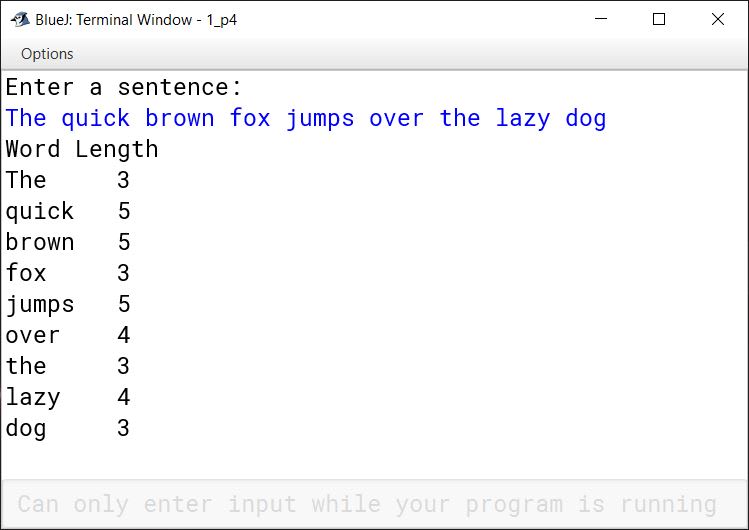
Write a program to input a sentence and print each word of the string along with its length in tabular form.
import java.util.Scanner;

public class KboatWordsLengthTable
{
   public static void main(String args[]) {
       Scanner in = new Scanner(System.in);
       System.out.println("Enter a sentence:");
       String str = in.nextLine();

       str += " ";
       int len = str.length();

       String word = "";
       int wLen = 0;
       System.out.println("Word Length");
       for (int i = 0; i < len; i++) {
           char ch = str.charAt(i);
           if (ch != ' ')   {
               word = word + ch;
               wLen++;
           }
           else {
               System.out.println(word + "\t" + wLen);
               word = "";
               wLen = 0;

           }
       }
    }
}
Solution not available in the source paper.
5Assignment Questions
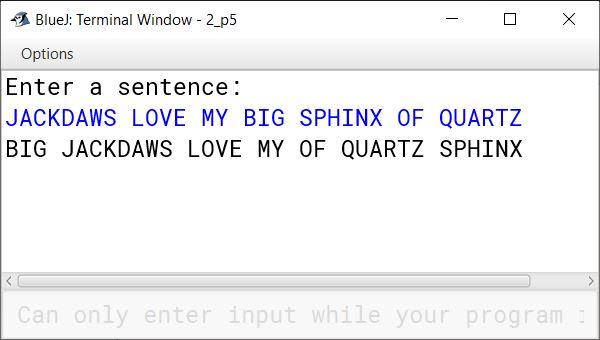
Write a program to input a sentence and arrange each word of the string in alphabetical order.
import java.util.Scanner;

public class KboatWordsSort
{
   public static void main(String args[]) {
        Scanner in = new Scanner(System.in);
        System.out.println("Enter a sentence:");
        String str = in.nextLine();

        str += " ";
        int len = str.length();

        String word = "";
        int wordCount = 0;
        char ch;
        // calculating no. of words
        for (int i = 0; i < len; i++)
            if (str.charAt(i) == ' ')
                wordCount++;

        String wordArr[] = new String[wordCount];
        int index = 0;
        // storing words in array
        for (int i = 0; i < len; i++) {
            ch = str.charAt(i);
            if (ch != ' ')   {
                word = word + ch;
            }
            else {
                wordArr[index++] = word;
                word = "";
            }
        }
        //bubble sort
         for (int i = 0; i < wordCount - 1; i++) {
            for (int j = 0; j < wordCount - i - 1; j++) {
                if (wordArr[j].compareTo(wordArr[j + 1]) > 1) {
                    String t = wordArr[j];
                    wordArr[j] = wordArr[j+1];
                    wordArr[j+1] = t;
                }
            }
        }
        // printing
        for(int i = 0; i < wordCount; i++)
            System.out.print(wordArr[i] + " ");
    }
}
Solution not available in the source paper.
6Assignment Questions
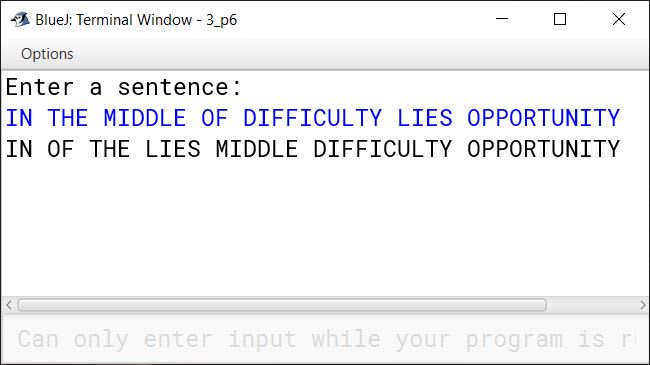
Write a program to input a sentence and arrange words of the string in order of their lengths from shortest to longest.
import java.util.Scanner;

public class KboatWordsSortbyLength
{
   public static void main(String args[]) {
        Scanner in = new Scanner(System.in);
        System.out.println("Enter a sentence:");
        String str = in.nextLine();

        str += " ";
        int len = str.length();

        String word = "";
        int wordCount = 0;
        char ch;
        // calculating no. of words
        for (int i = 0; i < len; i++) {
            if (str.charAt(i) == ' ') {
                wordCount++;
            }
        }

        String wordArr[] = new String[wordCount];
        int index = 0;
        // storing words in array
        for (int i = 0; i < len; i++) {
            ch = str.charAt(i);
            if (ch != ' ')   {
                word = word + ch;

            }
            else {
                wordArr[index++] = word;
                word = "";
            }
        }
        //bubble sort
         for (int i = 0; i < wordCount - 1; i++) {
            for (int j = 0; j < wordCount - i - 1; j++) {
                if (wordArr[j].length() > wordArr[j + 1].length()) {
                    String t = wordArr[j];
                    wordArr[j] = wordArr[j+1];
                    wordArr[j+1] = t;
                }
            }
        }
        // printing
        for(int i = 0; i < wordCount; i++) {
            System.out.print(wordArr[i] + " ");
        }
    }
}
Solution not available in the source paper.
7Assignment Questions
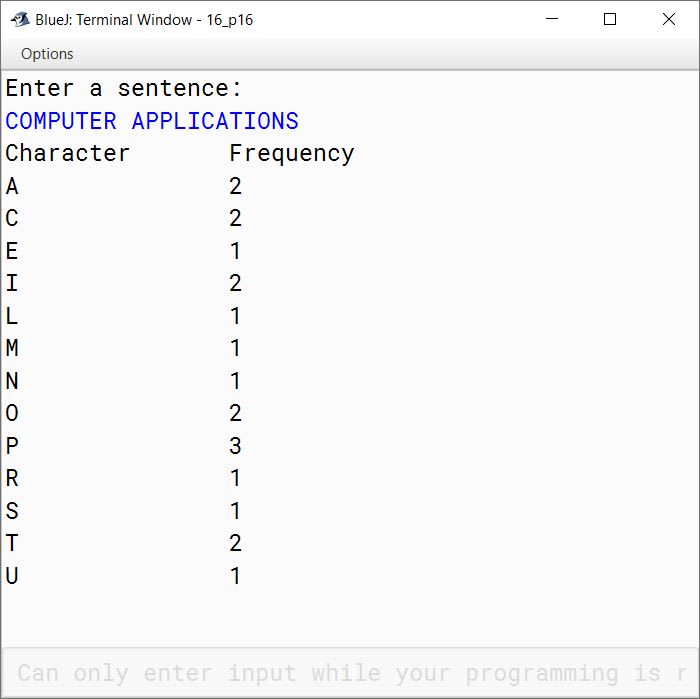
Write a program to input a string in uppercase and print the frequency of each character. Sample Input : COMPUTER HARDWARE Sample Output
Character	Frequency
A	            2
C	            1
D	            1
E	            2
H	            1
M	            1
0	            1
p	            1
R	            1
import java.util.Scanner;

public class KboatLetterFreq
{
    public static void main(String args[]) {
        Scanner in = new Scanner(System.in);
        System.out.println("Enter a sentence:");
        String str = in.nextLine();
        str = str.toUpperCase();
        int freqMap[] = new int[26];
        int len = str.length();

        for (int i = 0; i < len; i++) {
            char ch = str.charAt(i);
            if (Character.isLetter(ch)) {
                int chIdx = ch - 65;
                freqMap[chIdx]++;
            }
        }

        System.out.println("Character\tFrequency");
        for (int i = 0; i < freqMap.length; i++) {
            if (freqMap[i] > 0) {
                System.out.println((char)(i + 65)
                            + "\t\t" + freqMap[i]);
            }
        }
    }
}
Solution not available in the source paper.
8Assignment Questions
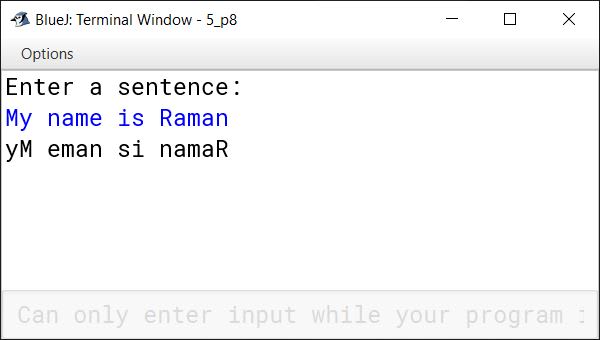
Write a program to input a string and print each word of the string in the reverse order. Sample Input: Enter a string: My name is Raman Sample Output yM eman si namaR
import java.util.Scanner;

public class KboatWordsReverse
{
   public static void main(String args[]) {
        Scanner in = new Scanner(System.in);
        System.out.println("Enter a sentence:");
        String str = in.nextLine();

        str += " ";
        int len = str.length();

        String word = "";
        int wLen = 0;
        char ch;

        for (int i = 0; i < len; i++) {
            ch = str.charAt(i);
            if (ch != ' ')   {
                word = word + ch;
            }
            else {
                wLen = word.length();
                for(int j = wLen - 1; j >= 0; j--) {
                    System.out.print(word.charAt(j));
                }
                System.out.print(' ');
                word = "";
            }
        }
    }
}
Solution not available in the source paper.
9Assignment Questions
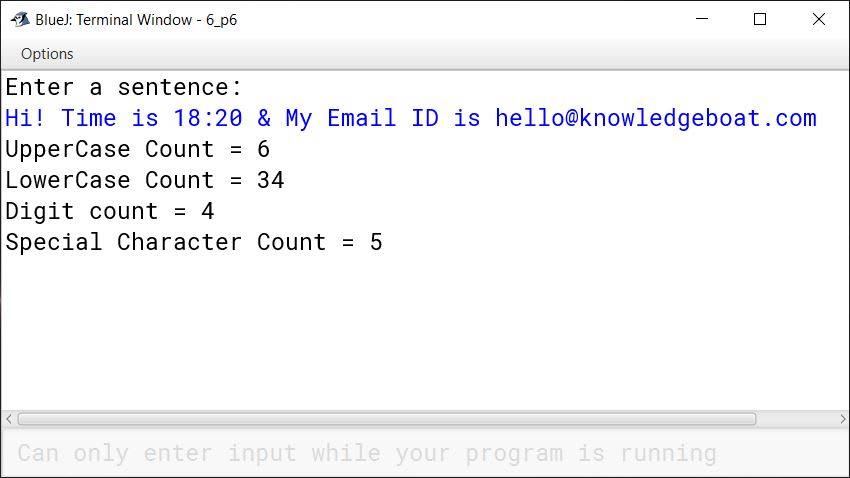
Write a program in Java to accept a string and display the number of uppercase, number of lowercase, number of special characters and number of digits present in the string.
import java.util.Scanner;

public class KboatCount
{
   public static void main(String args[]) {
        Scanner in = new Scanner(System.in);
        System.out.println("Enter a sentence:");
        String str = in.nextLine();

        int len = str.length();

        int uc = 0;
        int lc = 0;
        int sc = 0;
        int dc = 0;
        char ch;

        for (int i = 0; i < len; i++) {
            ch = str.charAt(i);
            if (Character.isUpperCase(ch))
                uc++;
            else if (Character.isLowerCase(ch))
                lc++;
            else if (Character.isDigit(ch))
                dc++;
            else if (!Character.isWhitespace(ch))
                sc++;
        }

        System.out.println("UpperCase Count = " + uc);
        System.out.println("LowerCase Count = " + lc);
        System.out.println("Digit count = " + dc);
        System.out.println("Special Character Count = " + sc);

    }
}
Solution not available in the source paper.
10Assignment Questions
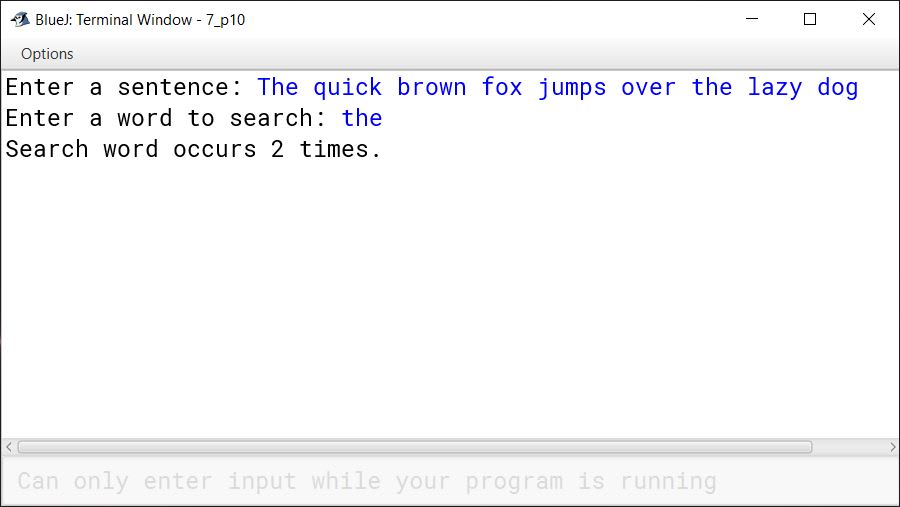
Write a program to enter a sentence from the keyboard and count the number of times a particular word occurs in it. Display the frequency of the search word.
Sample Input: Enter a sentence: The quick brown fox jumps over the lazy dog. Enter a word to search: the
Sample Output: Search word occurs 2 times
import java.util.Scanner;

public class KboatWordFrequency
{
    public static void main(String args[]) {
        Scanner in = new Scanner(System.in);
        System.out.print("Enter a sentence: ");
        String str = in.nextLine();
        System.out.print("Enter a word to search: ");
        String ipWord = in.nextLine();
        str += " ";
        String word = "";
        int count = 0;
        int len = str.length();

        for (int i = 0; i < len; i++) {
            if (str.charAt(i) == ' ') {

                if (word.equalsIgnoreCase(ipWord))
                    count++ ;

                word = "";
            }
            else {
                word += str.charAt(i);
            }
        }

        if (count > 0) {
            System.out.println("Search word occurs " + count + " times.");
        }
        else {
            System.out.println("Search word is not present in sentence.");
        }

    }
}
Solution not available in the source paper.
11Assignment Questions
Write a program in Java to enter a string/sentence and display the longest word and the length of the longest word present in the string.
Sample Input: "Tata football academy will play against Mohan Bagan"
Sample Output: The longest word: Football The length of the word: 8
import java.util.Scanner;

public class KboatLongestWord
{
    public static void main(String args[]) {
       Scanner in = new Scanner(System.in);
       System.out.println("Enter a word or sentence:");
       String str = in.nextLine();

       str += " "; //Add space at end of string
       String word = "", lWord = "";
       int len = str.length();

       for (int i = 0; i < len; i++) {
           char ch = str.charAt(i);
           if (ch == ' ') {

                if (word.length() > lWord.length())
                    lWord = word;

                word = "";
           }
           else {
               word += ch;
           }
       }

       System.out.println("The longest word: " + lWord +
        ": The length of the word: " + lWord.length());
    }

}
Solution not available in the source paper.
12Assignment Questions
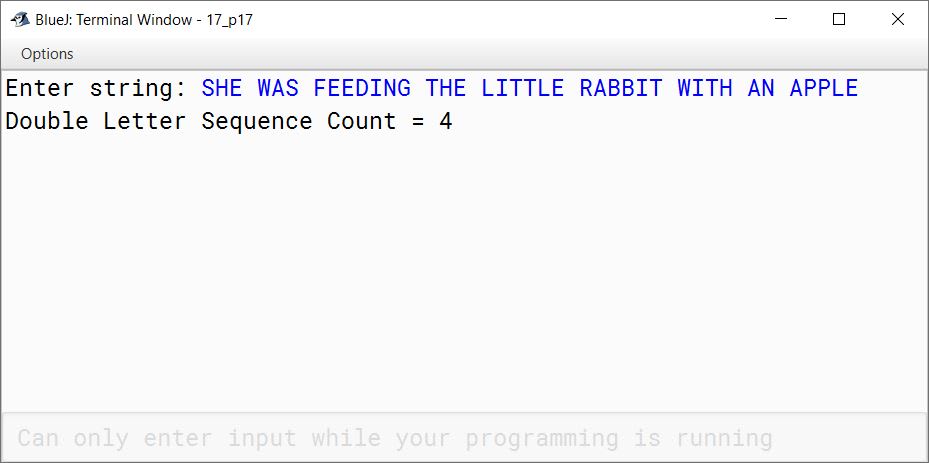
Write a program to accept a string. Convert the string to uppercase. Count and output the number of double letter sequences that exist in the string.
Sample Input: "SHE WAS FEEDING THE LITTLE RABBIT WITH AN APPLE"
Sample Output: 4
import java.util.Scanner;

public class KboatLetterSeq
{
    public static void main(String args[]) {
        Scanner in = new Scanner(System.in);
        System.out.print("Enter string: ");
        String s = in.nextLine();
        String str = s.toUpperCase();
        int count = 0;
        int len = str.length();

        for (int i = 0; i < len - 1; i++) {
            if (str.charAt(i) == str.charAt(i + 1))
                count++;
        }

        System.out.println("Double Letter Sequence Count = " + count);

    }
}
Solution not available in the source paper.
13Assignment Questions
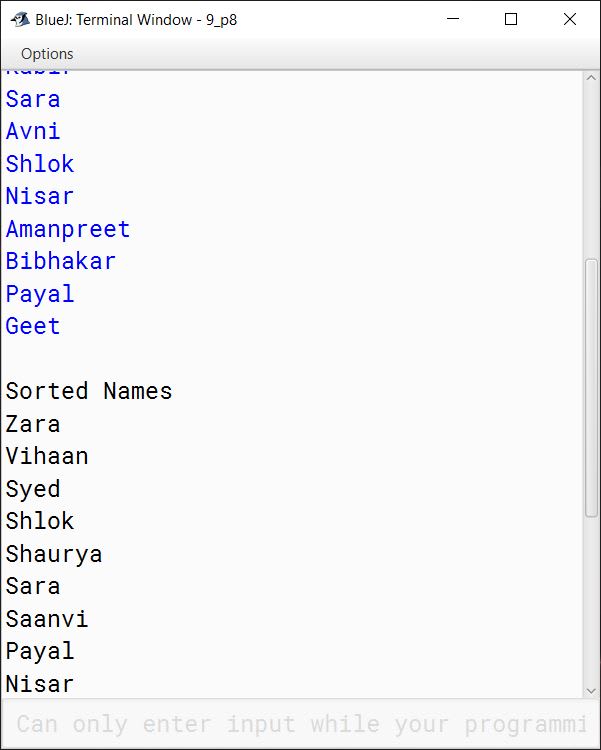
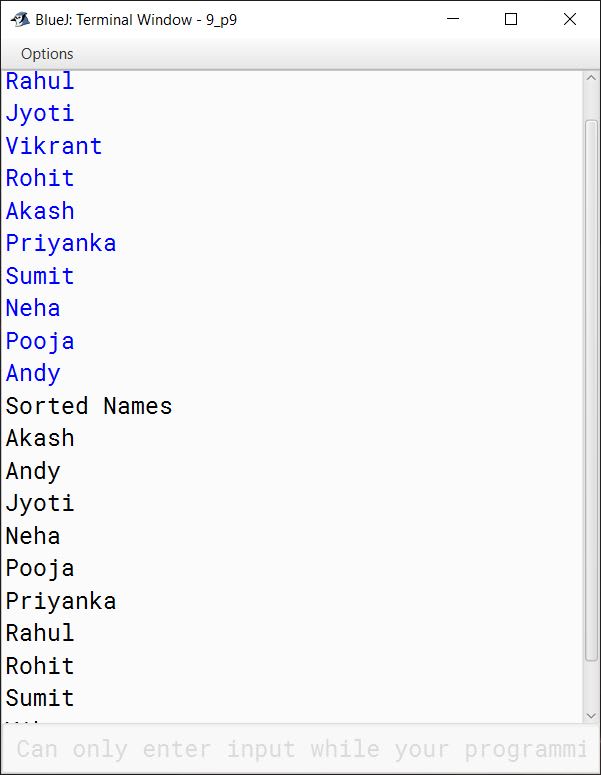
Write a program to input twenty names in an array. Arrange these names in descending order of alphabets, using the bubble sort technique.
import java.util.Scanner;

public class KboatArrangeNames
{
    public static void main(String args[]) {
        Scanner in = new Scanner(System.in);
        String names[] = new String[20];
        System.out.println("Enter 20 names:");
        for (int i = 0;  i < names.length; i++) {
            names[i] = in.nextLine();
        }

        //Bubble Sort
        for (int i = 0; i < names.length - 1; i++) {
            for (int j = 0; j < names.length - 1 - i; j++) {
                if (names[j].compareToIgnoreCase(names[j + 1]) < 0) {
                    String temp = names[j + 1];
                    names[j + 1] = names[j];
                    names[j] = temp;
                }
            }
        }

        System.out.println("\nSorted Names");
        for (int i = 0;  i < names.length; i++) {
            System.out.println(names[i]);
        }
    }
}
Solution not available in the source paper.
14Assignment Questions
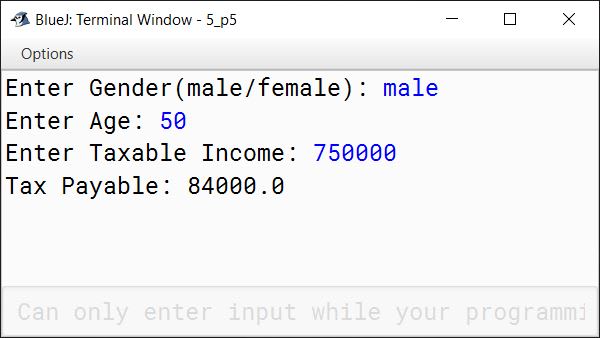
Given below is a hypothetical table showing rates of Income Tax for male citizens below the age of 65 years:
Taxable Income (TI)
Income Tax Calculation
Does not exceed 1,60,000
Nil
Is greater than 1,60,000 and less than or equal to 5,00,000
( TI - 1,60,000 ) * 10%
Is greater than 5,00,000 and less than or equal to 8,00,000
( (TI - 5,00,000 ) * 20% ) + 34,000
Is greater than 8,00,000
( (TI - 8,00,000) * 30%) + 94,000
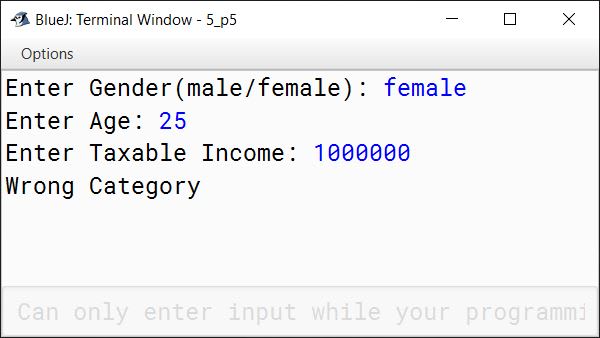
Write a program to input the age, gender (male or female) and Taxable Income of a person. If the age is more than 65 years or the gender is female, display "wrong category".
If the age is less than or equal to 65 years and the gender is male, compute and display the Income Tax payable as per the table given above.
import java.util.Scanner;

public class KboatIncomeTax
{
    public static void main(String args[]) {
        Scanner in = new Scanner(System.in);
        System.out.print("Enter Gender(male/female): ");
        String gender = in.nextLine();
        System.out.print("Enter Age: ");
        int age = in.nextInt();
        System.out.print("Enter Taxable Income: ");
        double ti = in.nextDouble();
        double tax = 0.0;

        if (age > 65 || gender.equalsIgnoreCase("female")) {
            System.out.print("Wrong Category");
        }
        else {
            if (ti <= 160000)
                tax = 0;
            else if (ti <= 500000)
                tax = (ti - 160000) * 10 / 100;
            else if (ti <= 800000)
                tax = 34000 + ((ti - 500000) * 20 / 100);
            else
                tax = 94000 + ((ti - 800000) * 30 / 100);

            System.out.println("Tax Payable: " + tax);
        }
    }
}
Solution not available in the source paper.
15Assignment Questions
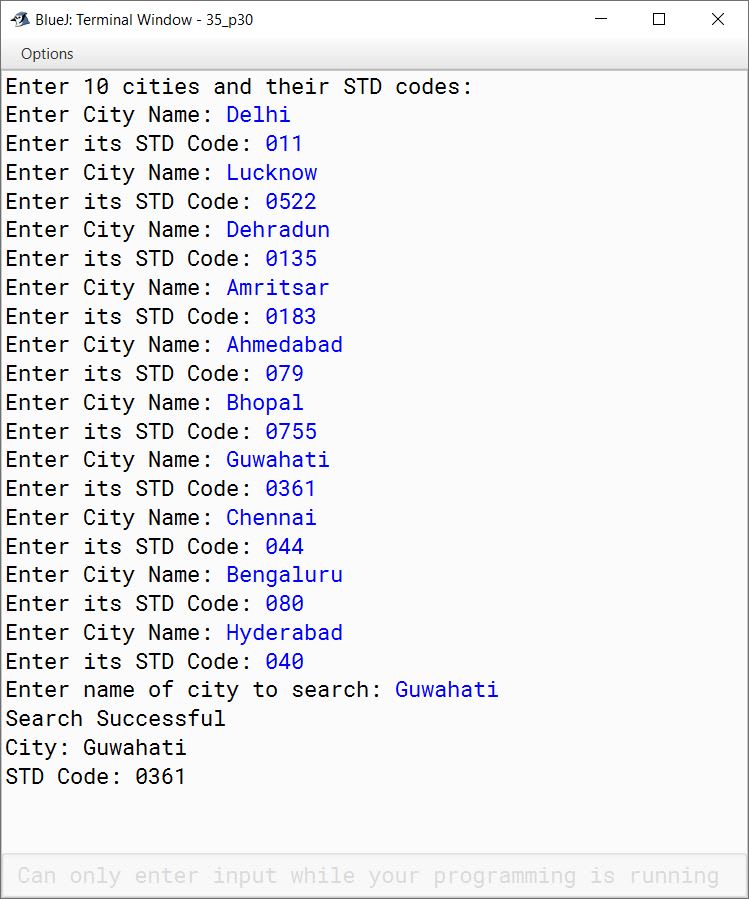
Write a program to accept the names of 10 cities in a single dimensional string array and their STD (Subscribers Trunk Dialling) codes in another single dimensional integer array. Search for a name of a city input by the user in the list. If found, display "Search Successful" and print the name of the city along with its STD code, or else display the message "Search Unsuccessful, No such city in the list".
import java.util.Scanner;

public class KboatStdCodes
{
    public static void main(String args[]) {
        final int SIZE = 10;
        Scanner in = new Scanner(System.in);
        String cities[] = new String[SIZE];
        String stdCodes[] = new String[SIZE];
        System.out.println("Enter " + SIZE +
                 " cities and their STD codes:");

        for (int i = 0;  i < SIZE; i++) {
            System.out.print("Enter City Name: ");
            cities[i] = in.nextLine();
            System.out.print("Enter its STD Code: ");
            stdCodes[i] = in.nextLine();
        }

        System.out.print("Enter name of city to search: ");
        String city = in.nextLine();

        int idx;
        for (idx = 0;  idx < SIZE; idx++) {
            if (city.compareToIgnoreCase(cities[idx]) == 0) {
                break;
            }
        }

        if (idx < SIZE) {
            System.out.println("Search Successful");
            System.out.println("City: " + cities[idx]);
            System.out.println("STD Code: " + stdCodes[idx]);
        }
        else {
            System.out.println("Search Unsuccessful");
        }
    }
}
Solution not available in the source paper.
16Assignment Questions
Write a program to input forty words in an array. Arrange these words in descending order of alphabets, using selection sort technique. Print the sorted array.
import java.util.Scanner;

public class KboatSelectionSort
{
    public static void main(String args[]) {
        Scanner in = new Scanner(System.in);
        String a[] = new String[40];
        int n = a.length;

        System.out.println("Enter 40 Names: ");
        for (int i = 0; i < n; i++) {
            a[i] = in.nextLine();
        }

        for (int i = 0; i < n - 1; i++) {
            int idx = i;
            for (int j = i + 1; j < n; j++) {
                if (a[j].compareToIgnoreCase(a[idx]) < 0) {
                    idx = j;
                }
            }
            String t = a[idx];
            a[idx] = a[i];
            a[i] = t;
        }

        System.out.println("Sorted Names");
        for (int i = 0; i < n; i++) {
            System.out.println(a[i]);
        }
    }
}
Solution not available in the source paper.
17Assignment Questions
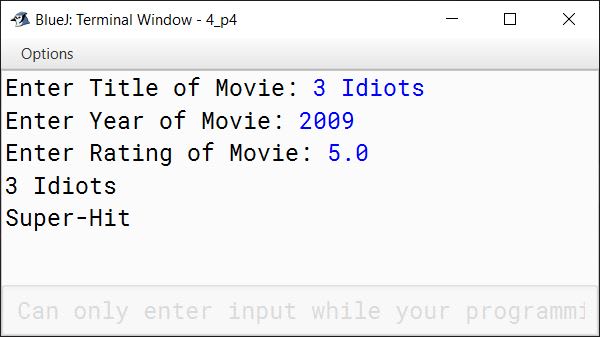
Define a class named movieMagic with the following description:
Instance Variables/Data Members: int year - to store the year of release of a movie String title - to store the title of the movie. float rating - to store the popularity rating of the movie. (minimum rating = 0.0 and maximum rating = 5.0)
Member Methods: i. movieMagic() - Default constructor to initialise numeric data members to 0 and String data member to "". ii. void accept() - To input and store year, title and rating. iii. void display() - To display the title of a movie and a message based on the rating as per the table given below.
Rating
Message to be displayed
0.0 to 2.0
Flop
2.1 to 3.4
Semi-hit
3.5 to 4.5
Hit
4.6 to 5.0
Super hit
Write a main method to create an object of the class and call the above member methods.
import java.util.Scanner;

public class movieMagic
{
    private int year;
    private String title;
    private float rating;

    public movieMagic() {
        year = 0;
        title = "";
        rating = 0.0f;
    }

    public void accept() {
        Scanner in = new Scanner(System.in);
        System.out.print("Enter Title of Movie: ");
        title = in.nextLine();
        System.out.print("Enter Year of Movie: ");
        year = in.nextInt();
        System.out.print("Enter Rating of Movie: ");
        rating = in.nextFloat();
    }

    public void display() {
        String message = "Invalid Rating";
        if (rating <= 2.0f)
            message = "Flop";
        else if (rating <= 3.4f)
            message = "Semi-Hit";
        else if (rating <= 4.4f)
            message = "Hit";
        else if (rating <= 5.0f)
            message = "Super-Hit";

        System.out.println(title);
        System.out.println(message);
    }

    public static void main(String args[]) {
        movieMagic obj = new movieMagic();
        obj.accept();
        obj.display();
    }
}
Solution not available in the source paper.
18Assignment Questions
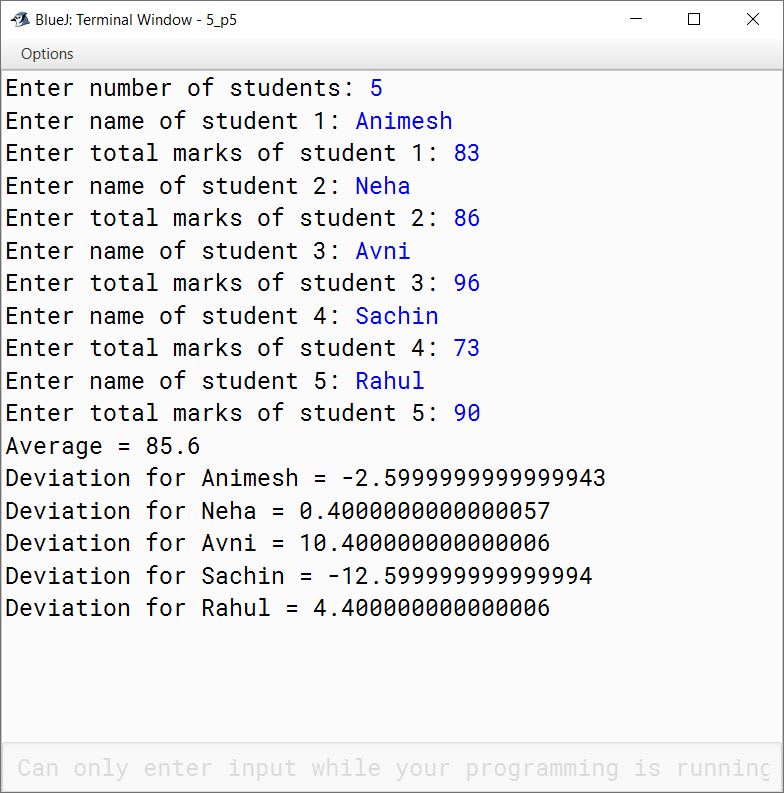
Write a program to accept name and total marks of N number of students in two single subscripts array name[] and totalmarks[].
Calculate and print: i. The average of the total marks obtained by N number of students. [average = (sum of total marks of all the students) / N]
ii. Deviation of each student's total marks with the average. [deviation = total marks of a student - average]
import java.util.Scanner;

public class KboatSDAMarks
{
    public static void main(String args[]) {
        Scanner in = new Scanner(System.in);
        System.out.print("Enter number of students: ");
        int n = in.nextInt();

        String name[] = new String[n];
        int totalmarks[] = new int[n];
        int grandTotal = 0;

        for (int i = 0; i < n; i++) {
            in.nextLine();
            System.out.print("Enter name of student " + (i+1) + ": ");
            name[i] = in.nextLine();
            System.out.print("Enter total marks of student " + (i+1) + ": ");
            totalmarks[i] = in.nextInt();
            grandTotal += totalmarks[i];
        }

        double avg = grandTotal / (double)n;
        System.out.println("Average = " + avg);

        for (int i = 0; i < n; i++) {
            System.out.println("Deviation for " + name[i] + " = "
            + (totalmarks[i] - avg));
        }
    }
}
Solution not available in the source paper.
19Assignment Questions
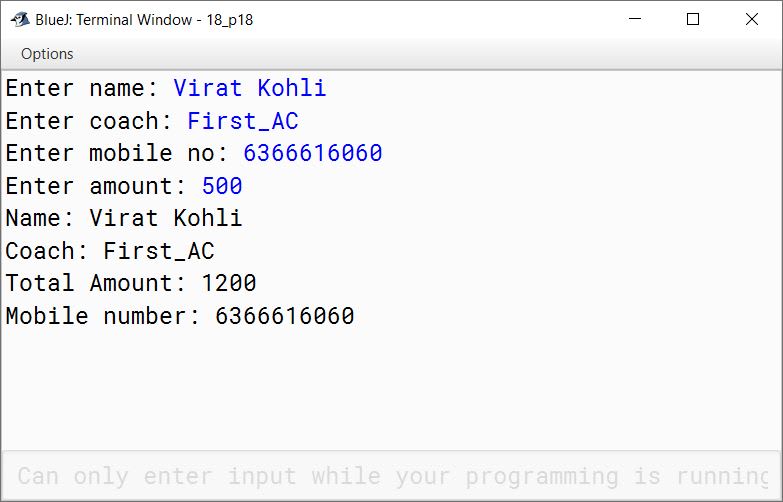
Design a class RailwayTicket with the following description:
Instance Variables/Data Members:
String name: to store the name of the customer. String coach: to store the type of coach customer wants to travel in. long mobno: to store customer's mobile number. int amt: to store basic amount of ticket. int totalamt: to store the amount to be paid after updating the original amount.
Methods:
void accept(): to take input for name, coach, mobile number and amount. void update(): to update the amount as per the coach selected.
Extra amount to be added in the amount as follows:
Type of coaches
Amount
First_AC
700
Second_AC
500
Third_AC
250
Sleeper
None
void display(): To display all details of a customer such as name, coach, total amount and mobile number.
Write a main() method to create an object of the class and call the above methods.
import java.util.Scanner;

public class RailwayTicket
{
    private String name;
    private String coach;
    private long mobno;
    private int amt;
    private int totalamt;

    private void accept() {
        Scanner in = new Scanner(System.in);
        System.out.print("Enter name: ");
        name = in.nextLine();
        System.out.print("Enter coach: ");
        coach = in.nextLine();
        System.out.print("Enter mobile no: ");
        mobno = in.nextLong();
        System.out.print("Enter amount: ");
        amt = in.nextInt();
    }

    private void update() {
        if(coach.equalsIgnoreCase("First_AC"))
            totalamt = amt + 700;
        else if(coach.equalsIgnoreCase("Second_AC"))
            totalamt = amt + 500;
        else if(coach.equalsIgnoreCase("Third_AC"))
            totalamt = amt + 250;
        else if(coach.equalsIgnoreCase("Sleeper"))
            totalamt = amt;
    }

    private void display() {
        System.out.println("Name: " + name);
        System.out.println("Coach: " + coach);
        System.out.println("Total Amount: " + totalamt);
        System.out.println("Mobile number: " + mobno);
    }

    public static void main(String args[]) {
        RailwayTicket obj = new RailwayTicket();
        obj.accept();
        obj.update();
        obj.display();
    }
}
Solution not available in the source paper.
20Assignment Questions
Design a class to overload a function check() as follows:
public class KboatOverload
{
    void check (String str , char ch ) {
        int count = 0;
        int len = str.length();
        for (int i = 0; i < str.length(); i++) {
            char c = str.charAt(i);
            if (ch == c) {
                count++;
            }
        }
        System.out.println("Frequency of " + ch + " = " + count);
    }

    void check(String s1) {
        String s2 = s1.toLowerCase();
        int len = s2.length();
        System.out.println("Vowels:");
        for (int i = 0; i < len; i++) {
            char ch = s2.charAt(i);
            if (ch == 'a' ||
                ch == 'e' ||
                ch == 'i' ||
                ch == 'o' ||
                ch == 'u')
                System.out.print(ch + " ");
        }
    }
}
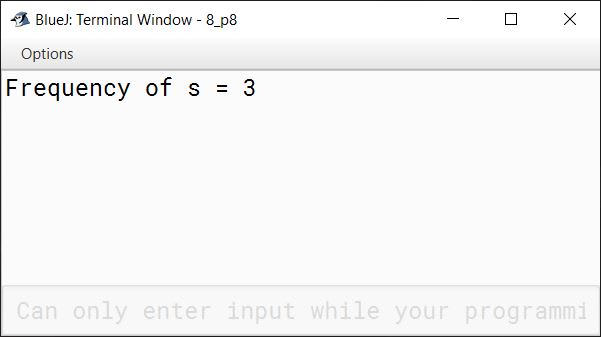
(a)void check(String str, char ch) - to find and print the frequency of a character in a string. Example: Input: Str = "success" ch= 's' Output: Number of s present is = 3
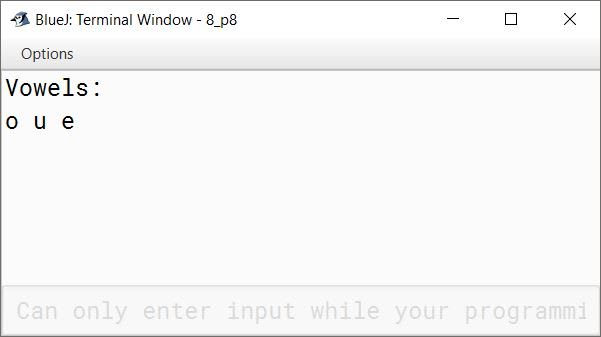
(b)void check (String s1) - to display only vowels from string s1, after converting it to lowercase. Example: Input: S1= "computer" Output: o u e
Solution not available in the source paper.
21Assignment Questions
Design a class to overload a function Joystring() as follows:
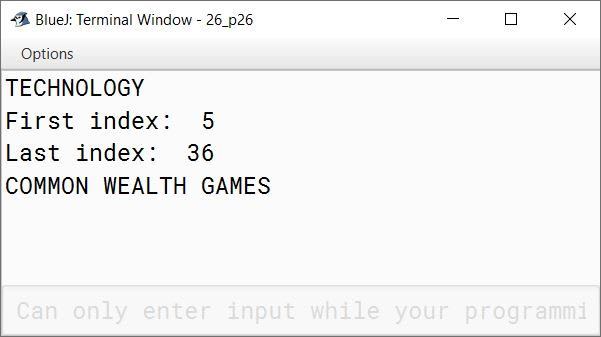
void Joystring(String s, char ch1, char ch2) with one string argument and two character arguments that replaces the character argument ch1 with the character argument ch2 in the given string s and prints the new string. Example: Input value of s = "TECHNALAGY" ch1 = 'A', ch2='O' Output: "TECHNOLOGY"
void Joystring(String s) with one string argument that prints the position of the first space and the last space in the given string s. Example: Input value of s = "Cloud computing means Internet based computing" Output: First index : 5 Last index : 36
void Joystring (String s1, String s2) with two string arguments that combines the two strings with a space between them and prints the resultant string. Example: Input value of s1 ="COMMON WEALTH" Input value of s2 = "GAMES" Output: COMMON WEALTH GAMES
(use library functions)
public class KboatStringOverload
{
    public void joystring(String s, char ch1, char ch2) {
        String newStr = s.replace(ch1, ch2);
        System.out.println(newStr);
    }

    public void joystring(String s) {
        int f = s.indexOf(' ');
        int l = s.lastIndexOf(' ');
        System.out.println("First index:  " + f);
        System.out.println("Last index:  " + l);
    }

    public void joystring(String s1, String s2) {
        String newStr = s1.concat(" ").concat(s2);
        System.out.println(newStr);
    }

    public static void main(String args[]) {
        KboatStringOverload obj = new KboatStringOverload();
        obj.joystring("TECHNALAGY", 'A', 'O');
        obj.joystring("Cloud computing means Internet based computing");
        obj.joystring("COMMON WEALTH", "GAMES");
    }
}
Solution not available in the source paper.
22Assignment Questions
Design a class to overload a function num_calc() as follows:
import java.util.Scanner;

public class KboatChoiceOverload
{
    void num_calc(int mini, char ch) {
        if (ch == 's') {
            long sq = mini * mini;
            System.out.println("Square = " + sq );
        }
        else {
            long cube = mini * mini * mini;
            System.out.println("Cube = " + cube);
        }
    }

    void num_calc(int a, int b, char ch) {
        if (ch == 'p') {
            long prod = a * b;
            System.out.println("Product = " + prod );
        }
        else {
            long sum = a + b;
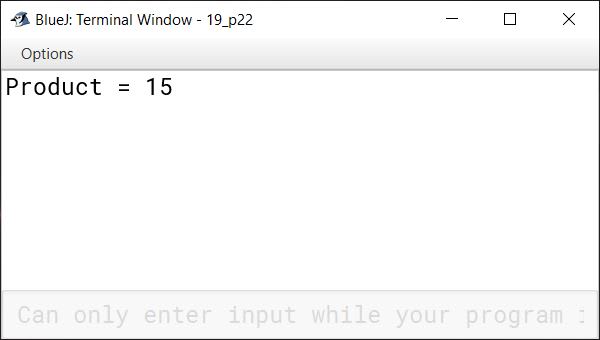
            System.out.println("Sum = " + sum);
        }
    }

    void num_calc(String s1, String s2)    {
        if(s1.equals(s2))
            System.out.println("Strings are equal");
        else
            System.out.println("Strings are not equal");
    }

}
(a)void num_calc(int mini, char ch) with one integer argument and one character argument, computes the square of integer argument if choice ch is 's' otherwise finds its cube.
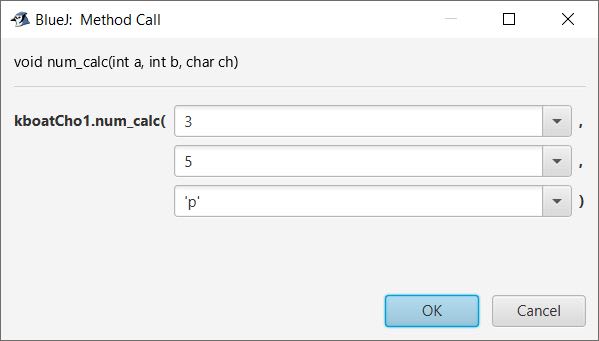
(b)void num_calc (int a, int b, char ch) with two integer arguments and one character argument. It computes the product of integer arguments if ch is 'p' else adds the integers.
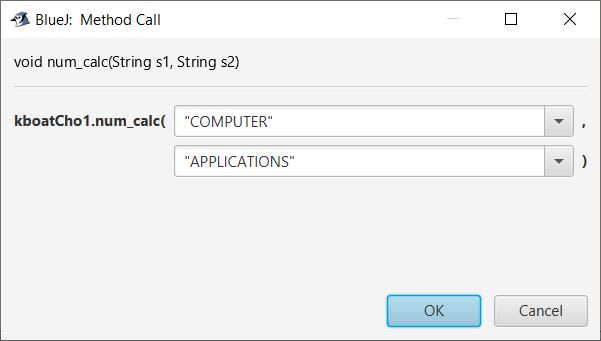
(c)void num_calc (String s1, String s2) with two string arguments, which prints whether the strings are equal or not.
Solution not available in the source paper.
23Assignment Questions
Design a class to overload a function compare( ) as follows:
import java.util.Scanner;

public class KboatCompare
{
    public void compare(int a, int b) {

        if (a > b) {
            System.out.println(a);
        }
        else {
            System.out.println(b);
        }

    }

    public void compare(char a, char b) {
        int x = (int)a;
        int y = (int)b;

        if (x > y) {
            System.out.println(a);
        }
        else {
            System.out.println(b);
        }

    }

    public void compare(String a, String b) {

        int l1 = a.length();
        int l2 = b.length();

        if (l1 > l2) {
            System.out.println(a);
        }
        else {
            System.out.println(b);
        }

    }

}
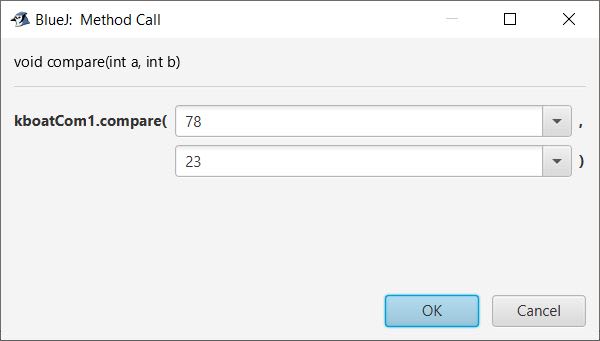
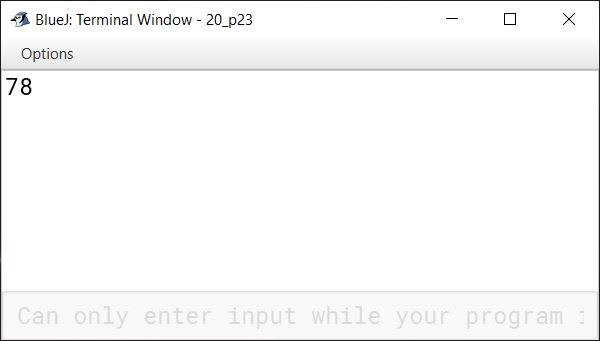
(a)void compare(int, int) - to compare two integer values and print the greater of the two integers.
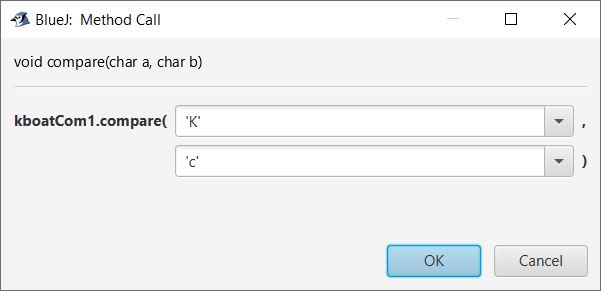
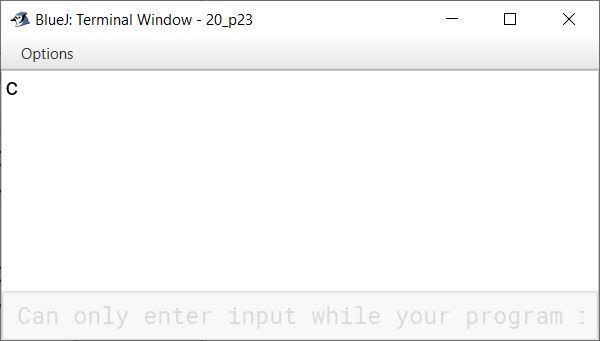
(b)void compare(char, char) - to compare the numeric value of two characters with higher numeric value.
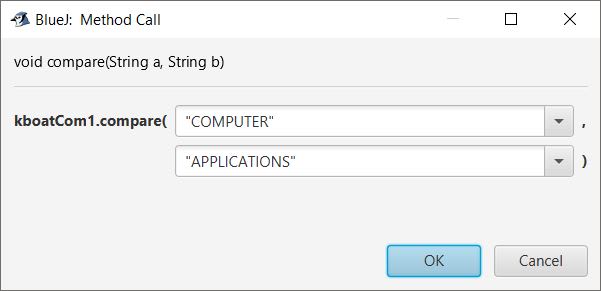
(c)void compare(String, String) - to compare the length of the two strings and print the longer of the two.