Specimen Paper2024

ICSE Class 10 Computer Applications — 2024 Specimen

35 solved questions from Solved 2024 Specimen Paper ICSE Class 10 Computer Applications. Every answer follows the ICSE marking scheme.

Section
Marks
Insight
1(ii)1 Mark · 2024 · Section A · 2024 SpecimenFull page

The expression which uses >= operator is known as:

Show SolutionHide Solution↓

relational

Reason — Relational expressions are constructed using relational operators — equal to ( == ), not equal to ( != ), less than ( < ), less than equal to ( <= ), greater than ( > ), greater than equal to ( >= )
1(iii)1 Mark · 2024 · Section A · 2024 SpecimenFull page

Ternary operator is a:

Show SolutionHide Solution↓

conditional operator

Reason — Ternary operator is a conditional operator as it evaluates the given condition. Its syntax is as follows:

condition? expression 1 : expression 2

If the condition is true then result of ternary operator is the value of expression 1. Otherwise the result is the value of expression 2.

1(iv)1 Mark · 2024 · Section A · 2024 SpecimenFull page

When primitive data type is converted to a corresponding object of its class, it is called:

Show SolutionHide Solution↓

Boxing

Reason — Boxing is the conversion of primitive data type into an object of its corresponding wrapper class.

1(v)1 Mark · 2024 · Section A · 2024 SpecimenFull page

The number of bytes occupied by a character array of 10 elements.

Show SolutionHide Solution↓

20 bytes

Reason — A char data type occupies '2' bytes in the memory. Thus, 10 char type elements occupy (10 x 2) = 20 bytes in memory.

1(vi)1 Mark · 2024 · Section A · 2024 SpecimenFull page

The method of Scanner class used to accept a double value is:

Show SolutionHide Solution↓

nextDouble()

Reason — The nextDouble() function reads the next token entered by the user as a double value.

1(vii)1 Mark · 2024 · Section A · 2024 SpecimenFull page

Among the following which is a keyword:

Show SolutionHide Solution↓

case

Reason — case is a keyword. It is used to define switch case construct.

1(viii)1 Mark · 2024 · Section A · 2024 SpecimenFull page

The output of Math.round(6.6) + Math.ceil(3.4) is:

Show SolutionHide Solution↓

11.0

Reason — The given expression is evaluated as follows:
Math.round(6.6) + Math.ceil(3.4)
⇒ 7 + 4.0
⇒ 11.0

Math.round() rounds off its argument to the nearest mathematical integer and returns its value as an int or long type. Math.ceil method returns the smallest double value that is greater than or equal to the argument and is equal to a mathematical integer. In the addition operation, the type of result is promoted to a double as one operand is double. Hence, the result is 11.0.

1(ix)1 Mark · 2024 · Section A · 2024 SpecimenFull page

Name the type of error, if any in the following statement:

System.out.print("HELLO")

Show SolutionHide Solution↓

syntax

Reason — The given statement is missing a terminator ( ; ) at the end. Thus, it has a syntax error.

1(x)5 Marks · 2024 · Section A · 2024 SpecimenFull page

Java statement to access the 5th element of an array is:

Show SolutionHide Solution↓

X[4]

Reason — Array indexes start from 0. So, X[4] refers to the 5th element of the array.

1(xi)1 Mark · 2024 · Section A · 2024 SpecimenFull page

The output of "Remarkable".substring(6) is:

Show SolutionHide Solution↓

able

Reason — "Remarkable".substring(6) will extract a substring starting from the character at index 6 (i.e., 7th character of the string) which is 'a' till the end of the string. Hence the output is able.

1(xii)1 Mark · 2024 · Section A · 2024 SpecimenFull page

Which of the following is the wrapper class for the data type char?

Show SolutionHide Solution↓

Character

Reason — Character is the wrapper class for the data type char.

1(xiii)1 Mark · 2024 · Section A · 2024 SpecimenFull page

Name the package that contains wrapper classes:

Show SolutionHide Solution↓

java.lang

Reason — Wrapper classes are present in java.lang package.

1(xiv)1 Mark · 2024 · Section A · 2024 SpecimenFull page

Constructor overloading follows which principle of Object Oriented programming?

Show SolutionHide Solution↓

Polymorphism

Reason — In object-oriented programming, Polymorphism provides the means to perform a single action in multiple different ways and constructor overloading follows Polymorphism principle of Object Oriented programming wherein a constructor having the same name behaves differently with different arguments.

1(xv)1 Mark · 2024 · Section A · 2024 SpecimenFull page

Which of the following is a valid Integer constant:
i. 4
ii. 4.0
iii. 4.3f
iv. "four"

Show SolutionHide Solution↓

Only i

Reason — Integer constants represent whole number values only. Thus, 4 is an integer constant. 4.0 is a double constant, 4.3f is a float constant while "four" is a String constant.

1(xvi)1 Mark · 2024 · Section A · 2024 SpecimenFull page

The method compareTo() returns ............... when two strings are equal and in lowercase :

Show SolutionHide Solution↓

0

Reason — compareTo() method compares two strings lexicographically and returns the difference between the ASCII values of the first differing characters in the strings. Here, the strings are equal so the difference is 0.

1(xvii)1 Mark · 2024 · Section A · 2024 SpecimenFull page

Assertion (A): In Java, statements written in lower case letter or upper case letter are treated as the same.

Reason (R): Java is a case sensitive language.

Show SolutionHide Solution↓

Assertion (A) is false and Reason (R) is true

Reason — In Java, statements written in lower case letter or upper case letter are treated differently as Java is a case sensitive language.

1(xviii)1 Mark · 2024 · Section A · 2024 SpecimenFull page

Read the following text, and choose the correct answer:

A class encapsulate Data Members that contains the information necessary to represent the class and Member methods that perform operations on the data member.

What does a class encapsulate?

Show SolutionHide Solution↓

Data members and Member methods

Reason — A class encapsulates state and behavior by combining data and functions into a single unit. The state of an object is represented by its member variables and behaviour is represented by member methods.

1(xix)1 Mark · 2024 · Section A · 2024 SpecimenFull page

Assertion (A): Call by value is known as pure method.

Reason (R): The original value of variable does not change as operation is performed on copied values.

Show SolutionHide Solution↓

Both Assertion (A) and Reason (R) are true and Reason (R) is a correct explanation of Assertion (A)

Reason — Call by value is known as pure method as it does not modify the value of original variables. The original value of variable does not change as operation is performed on copied values.

1(xx)1 Mark · 2024 · Section A · 2024 SpecimenFull page

What will be the output for:

System.out.print(Character.toLowerCase('1'));
Show SolutionHide Solution↓

1

Reason — In Java, the Character.toLowerCase(char ch) method is used to convert a given character to its lowercase equivalent, if one exists. If the character is already in lowercase or there is no lowercase equivalent, it will return the original character.

2(i)1 Mark · 2024 · Section A · 2024 SpecimenFull page

Write the Java expression for (p + q)2.

Show SolutionHide Solution↓

Math.pow((p + q) , 2)

2(ii)1 Mark · 2024 · Section A · 2024 SpecimenFull page

Evaluate the expression when the value of x = 2:

x = x++ + ++x + x

Show SolutionHide Solution↓
10

Initially, x = 2. The expression is calculated as follows:

x = x++ + ++x + x
x = 2 + ++x + x          (x = 3)
x = 2 + 4 + x               (x = 4)
x = 2 + 4 + 4               (x = 4)
x = 10

2(iii)1 Mark · 2024 · Section A · 2024 SpecimenFull page

The following code segment should print "You can go out" if you have done your homework (dh) and cleaned your room (cr). However, the code has errors. Fix the code so that it compiles and runs correctly.

boolean dh = True; 
boolean cr= true; 
if (dh && cr)
System.out.println("You cannot go out"); 
else
System.out.println("You can go out");	
Show SolutionHide Solution↓

The corrected code is as follows:

boolean dh = true; 
boolean cr= true; 
if (dh && cr)
System.out.println("You can go out"); 
else
System.out.println("You cannot go out");	
  1. boolean dh = True; — Here, True should be in lowercase as true.
  2. println statements of if-else should be interchanged because if both dh (done homework) and cr (cleaned room) are true then the person can go out.
2(iv)1 Mark · 2024 · Section A · 2024 SpecimenFull page

Sam executes the following program segment and the answer displayed is zero irrespective of any non zero values are given. Name the error. How the program can be modified to get the correct answer?

void triangle(double b, double h)
{	
    double a; 
    a = 1/2 * b * h;
    System.out.println("Area=" + a);	
}	
Show SolutionHide Solution↓

Logical error.

Modified program:

void triangle(double b, double h)
{	
    double a; 
    a = 1.0/2 * b * h;
    System.out.println("Area=" + a);	
}	

The statement is evaluated as follows:

a = 1/2 * b * h;
a = 0 * b * h; (1/2 being integer division gives the result as 0)
a = 0 (Since anything multiplied by 0 will be 0)

To avoid this error, we can replace '1/2' with '1.0/2'. Now the expression will be evaluated as follows:

a = 1.0/2 * b * h;
a = 0.5 * b * h; (The floating-point division will result in result as as 0.5)

This will give the correct result for the given code.

2(v)1 Mark · 2024 · Section A · 2024 SpecimenFull page

How many times will the following loop execute? What value will be returned?

int x = 2;
int y = 50;
do{
++x;
y -= x++;
}
while(x <= 10);
return y;
Show SolutionHide Solution↓

The loop will execute 5 times and the value returned is 15.

IterationXYRemark
 250Initial values
1347x = 4 (3 + 1), y = 47 (50 - 3)
2542x = 6 (5 + 1), y = 42 (47 - 5)
3735x = 8 (7 + 1), y = 35 (42 - 7)
4926x = 10 (8 + 1), y = 26 (35 - 9)
51115x = 12 (11 + 1), y = 15 (26 - 11)
 1115Condition becomes false. Loop terminates.
2(vi)1 Mark · 2024 · Section A · 2024 SpecimenFull page

Write the output of the following String methods:

(a) "ARTIFICIAL".indexOf('I')

(b) "DOG and PUPPY".trim().length()

Show SolutionHide Solution↓

(a)

3

indexOf() returns the index of the first occurrence of the specified character within the string or -1 if the character is not present. First occurrence of 'I' in "ARTIFICIAL" is at index 3 (a string begins at index 0).

(b)

13

trim() removes all leading and trailing space from the string and length() returns the length of the string i.e., the number of characters present in the string. Thus, the output is 13.

2(vii)1 Mark · 2024 · Section A · 2024 SpecimenFull page

Name any two jump statements.

Show SolutionHide Solution↓

Two jump statements are:

  1. break statement
  2. continue statement
2(viii)1 Mark · 2024 · Section A · 2024 SpecimenFull page

Predict the output of the following code snippet:

String a = "20";
String b = "23";
int p = Integer.parseInt(a); 
int q = Integer.parseInt(b); 
System.out.print(a + "*" + b);
Show SolutionHide Solution↓
20*23

Integer.parseInt() method will convert the strings a and b to their corresponding numerical integers — 20 and 23. In the statement, System.out.print(a + "*" + b); a, b, and "*" are strings so + operator concatenates them and prints 20*23 as the output.

2(ix)1 Mark · 2024 · Section A · 2024 SpecimenFull page

When there is no explicit initialization, what are the default values set for variables in the following cases?

(a) Integer variable

(b) String variable

Show SolutionHide Solution↓

(a) 0

(b) null

2(x)1 Mark · 2024 · Section A · 2024 SpecimenFull page

int P[ ] = {12, 14, 16, 18};
int Q[ ] = {20, 22, 24};

Place all elements of P array and Q array in the array R one after the other.

(a) What will be the size of array R[ ] ?

(b) Write index position of first and last element?

Show SolutionHide Solution↓

int R[ ] = {12, 14, 16, 18, 20, 22, 24};

(a) Size of array P[ ] = 4
     Size of array Q[ ] = 3
     Size of array R[ ] = 7 (4 + 3).

(b) Index position of first element is 0.
     Index position of last element is 6.

3Written · 2024 · Section B · 2024 SpecimenFull page

Define a class called with the following specifications:

Class name: Eshop

Member variables:
String name: name of the item purchased
double price: Price of the item purchased

Member methods:
void accept(): Accept the name and the price of the item using the methods of Scanner class.
void calculate(): To calculate the net amount to be paid by a customer, based on the following criteria:

PriceDiscount
1000 – 250005.0%
25001 – 570007.5 %
57001 – 10000010.0%
More than 10000015.0 %

void display(): To display the name of the item and the net amount to be paid.

Write the main method to create an object and call the above methods.

Show SolutionHide Solution↓
import java.util.Scanner;
public class Eshop
{
    private String name;
    private double price;
    private double disc;
    private double amount;

    public void accept() {
        Scanner in = new Scanner(System.in);
        System.out.print("Enter item name: ");
        name = in.nextLine();
        System.out.print("Enter price of item: ");
        price = in.nextDouble();
    }
    
    public void calculate() {
        double d = 0.0;
        
        if (price < 1000)
            d = 0.0;
        else if (price <= 25000)
            d = 5.0;
        else if (price <= 57000)
            d = 7.5;
        else if (price <= 100000)
            d = 10.0;
        else
            d = 15.0;
        
        disc = price * d / 100.0;
        amount = price - disc;
        
    }
    
    public void display() {
        System.out.println("Item Name: " + name);
        System.out.println("Net Amount: " + amount);
    }
    
    public static void main(String args[]) {
        Eshop obj = new Eshop();
        obj.accept();
        obj.calculate();
        obj.display();
    }
}
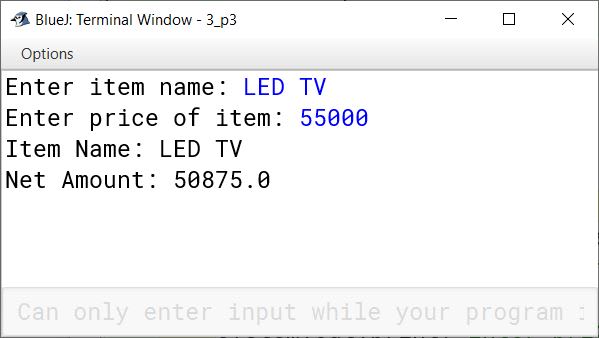
BlueJ output of Eshop.java
4Written · 2024 · Section B · 2024 SpecimenFull page

Define a class to accept values in integer array of size 10. Sort them in an ascending order using selection sort technique. Display the sorted array.

Show SolutionHide Solution↓
import java.util.Scanner;

public class KboatSelectionSort
{
    public static void main(String args[]) 
    {
        Scanner in = new Scanner(System.in);
        int arr[] = new int[10];
        System.out.println("Enter 10 integers: ");
        for (int i = 0; i < 10; i++) 
        {
            arr[i] = in.nextInt();
        }
        
        for (int i = 0; i < 9; i++) 
        {
            int idx = i;
            for (int j = i + 1; j < 10; j++) 
            {
                if (arr[j] < arr[idx])
                    idx = j;
            }
            
            int t = arr[i];
            arr[i] = arr[idx];
            arr[idx] = t; 
        }
        
        System.out.println("Sorted Array:");
        for (int i = 0; i < 10; i++) 
        {
            System.out.print(arr[i] + " ");
        }
    }
}
BlueJ output of KboatSelectionSort.java
5Written · 2024 · Section B · 2024 SpecimenFull page

Define a class to accept a string and convert it into uppercase. Count and display the number of vowels in it.

Input: robotics
Output: ROBOTICS
Number of vowels: 3

Show SolutionHide Solution↓
import java.util.Scanner;

public class KboatCountVowels
{
    public static void main(String args[]) 
    {
        Scanner in = new Scanner(System.in);
        System.out.print("Enter the string: ");
        String str = in.nextLine();
        str = str.toUpperCase();
        str += " ";
        int count = 0;
        int len = str.length();
        
        for (int i = 0; i < len - 1; i++) 
        {
            char ch = str.charAt(i);
            if(ch == 'A' 
                || ch == 'E' 
                || ch == 'I'
                || ch == 'O'
                || ch == 'U')
                count++;
        }
        
        System.out.println("String : " + str);
        System.out.println("Number of vowels : " + count);
    }
}
BlueJ output of KboatCountVowels.java
6Written · 2024 · Section B · 2024 SpecimenFull page

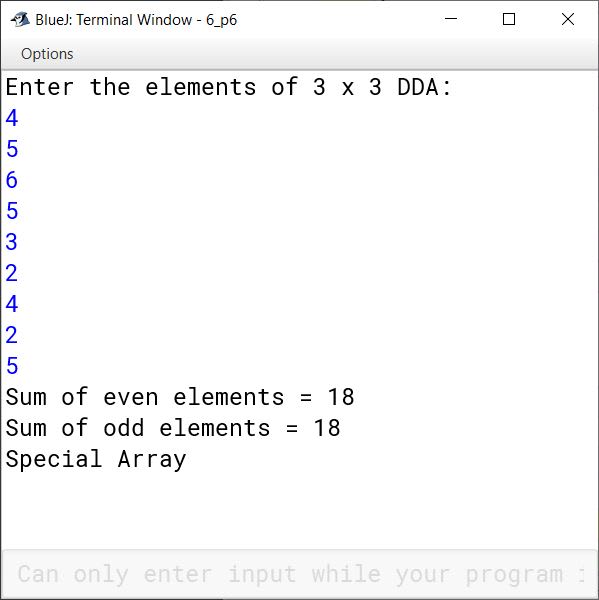
Define a class to accept values into a 3 × 3 array and check if it is a special array. An array is a special array if the sum of the even elements = sum of the odd elements.

Example:
A[ ][ ]={{ 4 ,5, 6}, { 5 ,3, 2}, { 4, 2, 5}};
Sum of even elements = 4 + 6 + 2 + 4 + 2 = 18
Sum of odd elements = 5 + 5 + 3 + 5 = 18

Show SolutionHide Solution↓
import java.util.Scanner;

public class KboatDDASpArr
{
    public static void main(String args[]) 
    {
        Scanner in = new Scanner(System.in);
        int arr[][] = new int[3][3];
        long evenSum = 0, oddSum = 0;
        System.out.println("Enter the elements of 3 x 3 DDA: ");
        for (int i = 0; i < 3; i++) {
            for (int j = 0; j < 3; j++) {
                arr[i][j] = in.nextInt();
            }
        }
        
        for (int i = 0; i < 3; i++) {
            for (int j = 0; j < 3; j++) {
                if (arr[i][j] % 2 == 0)
                    evenSum += arr[i][j];
                else
                    oddSum += arr[i][j];
            }
        }
        
        System.out.println("Sum of even elements = " + evenSum);
        System.out.println("Sum of odd elements = " + oddSum);
        if (evenSum == oddSum)
            System.out.println("Special Array");
        else
            System.out.println("Not a Special Array");
    }
}
BlueJ output of KboatDDASpArr.java
7Written · 2024 · Section B · 2024 SpecimenFull page

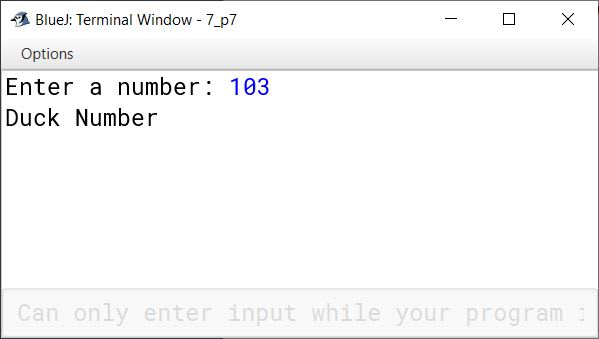
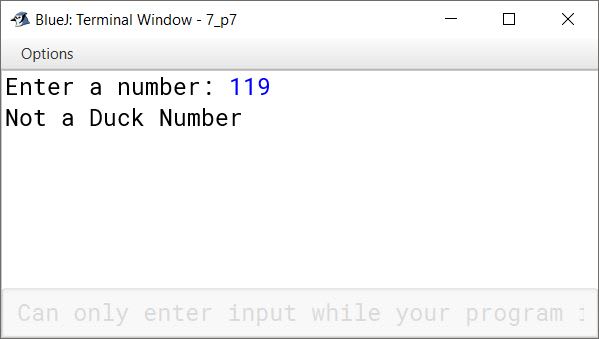
Define a class to accept a 3 digit number and check whether it is a duck number or not.
Note: A number is a duck number if it has zero in it.

Example 1:
Input: 2083
Output: Invalid

Example 2:
Input: 103
Output: Duck number

Show SolutionHide Solution↓
import java.util.Scanner;

public class KboatDuckNumber
{
    public static void main(String args[]) 
    {
        Scanner in = new Scanner(System.in);
        System.out.print("Enter a number: ");
        int num = in.nextInt();
        int n = num;
        int count = 0;
        
        while (n != 0)    {
            count++;
            n = n / 10;
        }
        
        if (count == 3)
        {
            n = num;
            boolean isDuck = false;
            while(n != 0) 
            {
                if(n % 10 == 0)  
                {  
                    isDuck = true;
                    break;
                }
                n = n / 10;  
            }
            
            if (isDuck) {
                System.out.println("Duck Number");
            }
            else {
                System.out.println("Not a Duck Number");
            }
        }
        else {
            System.out.println("Invalid");
        }
    }
}
BlueJ output of KboatDuckNumber.java BlueJ output of KboatDuckNumber.java BlueJ output of KboatDuckNumber.java
8Written · 2024 · Section B · 2024 SpecimenFull page

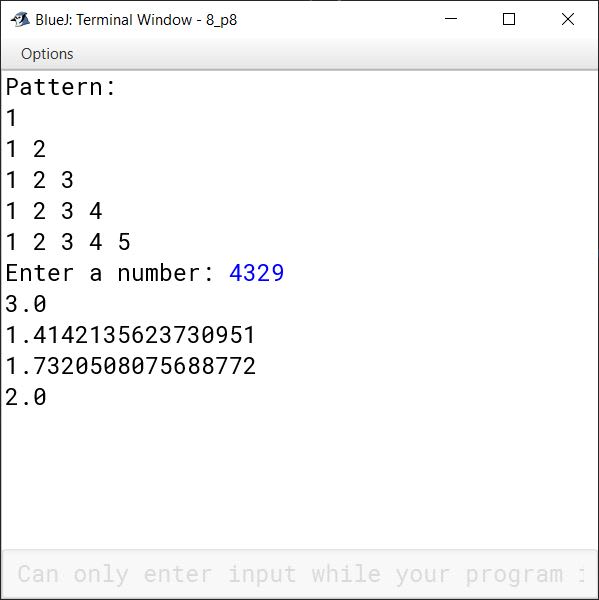
Define a class to overload the method display as follows:

void display( ): To print the following format using nested loop

Show SolutionHide Solution↓
1
1 2
1 2 3
1 2 3 4
1 2 3 4 5

void display(int n): To print the square root of each digit of the given number.

Example:
n = 4329
Output – 3.0
1.414213562
1.732050808
2.0

import java.util.Scanner;

public class KboatMethodOverload
{
    public void display()
    {
        for(int i = 1; i <= 5; i++) 
        {
            for(int j = 1; j <= i; j++)
            {
                System.out.print(j + " ");
            }
            System.out.println();
        }
    }
    
    public void display(int n)
    {
        while( n != 0)
        {
            int d = n % 10;
            System.out.println(Math.sqrt(d));
            n = n / 10;
        }
    }
    
    public static void main(String args[]) 
    {
        KboatMethodOverload obj = new KboatMethodOverload();
        Scanner in = new Scanner(System.in);
        
        System.out.println("Pattern: ");
        obj.display();
        
        System.out.print("Enter a number: ");
        int num = in.nextInt();
        obj.display(num);
        
    }
}
BlueJ output of KboatMethodOverload.java

Press ↓ to reveal a solution and move to the next question. Browse the free sample bank.

All 357 Computer Applications questions